Welcome to the New RonForbes.com (I Vibe Coded the Whole Thing)
I migrated my personal website from Notion to a custom Next.js site, built entirely with AI. Here's what I learned about delegation, orchestration, and why the shift from chatbots to AI agents is the biggest productivity unlock most people aren't seeing.

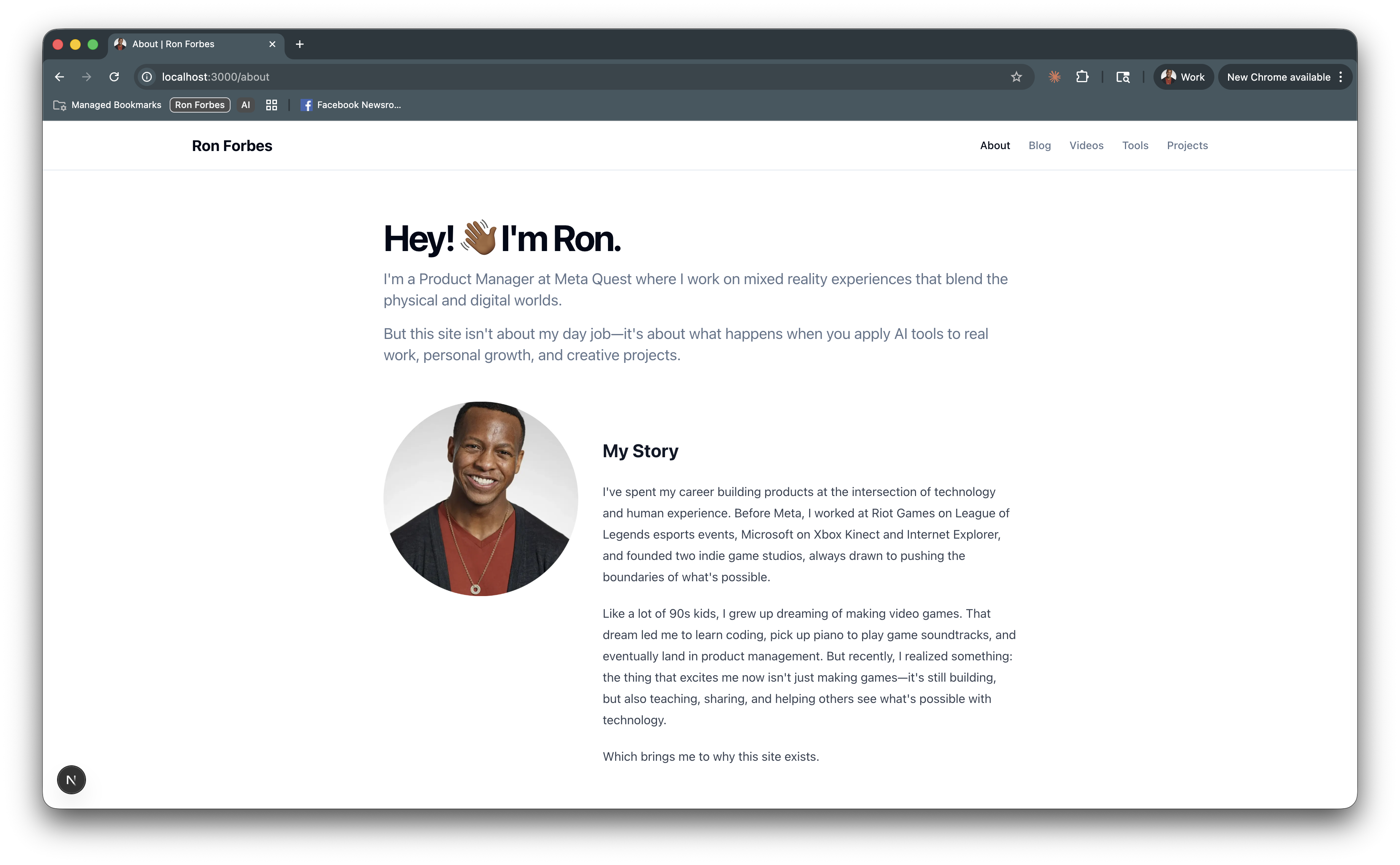
You're looking at it.
After years of running my site on the well-meaning but suboptimal Notion + Super.so, I finally migrated everything to a custom Next.js site. Faster page loads. Better SEO. Fully customized look and feel. Modern stack with TypeScript, Tailwind CSS, shadcn/ui, MDX, and Vercel. (If this means nothing to you, that's okay. I'm just excited to have built it 🚀)
And I vibe coded the entire thing.
But don't believe (all) the hype about AI-assisted development: it wasn't a one-shot miracle. This wasn't me typing "Build me a website. Make no mistakes" and watching magic happen. The reality was messier, more iterative, and honestly way more interesting than the AI influencer highlight reels would have you believe.
So let me tell you what actually happened.
The Iteration Nobody Talks About
When you see someone show off their AI-built project, you're seeing the finished product. What you're not seeing is the iteration.
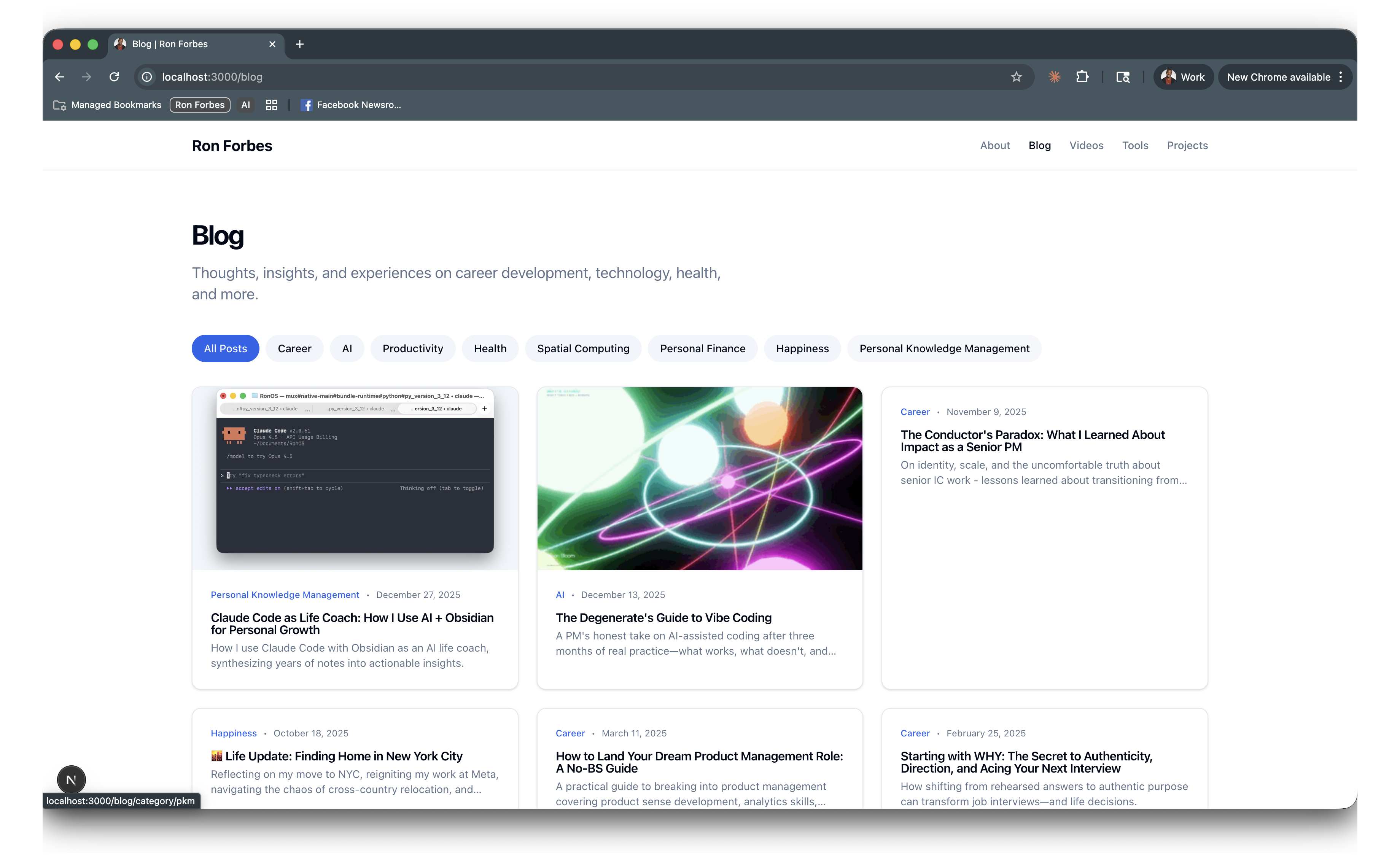
I had 44 blog posts, a dozen videos, and a handful of static pages living in my old Notion site. Each one needed to be converted to markdown (basically, text with rich formatting) with proper metadata (title, description, date, category, featured image). Each one had formatting quirks that needed fixing. Some had embedded content that had to be restructured.
At first, I did what most people do: I started migrating them one by one. Manually copying content. Reformatting. Debugging. It was slow. It was tedious. And after the first post, I had a realization that changed everything:
Why am I doing this myself?
So I handed the migration over to Claude Code.
(more or less) "Here's my old content. Here's the new format I need it in. Go through each post and migrate them."And it did. All of them 🤯 In a fraction of the time it would have taken me manually. Yes, it made some mistakes that I needed to catch and correct. But overall, it was a huge time saver.
This was my first real lesson in AI delegation.
The Skill That Changes Everything: Orchestration
The more I worked on this project, the more I realized I wasn't coding anymore. I was orchestrating. Just like my drum major days 🤓.
Here's what my workflow evolved into:
One agent as content strategist. I have a knowledge base in Obsidian: 2,000+ notes about everything I've learned, thought about, and want to share. I'd point Claude Code at this and ask it to suggest copy, refine my voice, or help me articulate ideas that were fuzzy in my head.
Another agent as software developer. A separate Claude Code session focused purely on implementation. Building components. Fixing bugs. Adding features. Claude Code can even spin up subagents to carry out several tasks in parallel. So migrating all of my old content turned into a little army of subagents working on the posts, videos, and static pages all at once.
Several more agents for work. I'm using AI agents to help me with my day-to-day work. They're great for research, thought partnering, data analysis, and co-writing. Claude Code goes way beyond coding.
This separation wasn't accidental. It was liberating.
When all roles are in the same conversation, the AI (and my brain) gets pulled in too many directions. But when I split them? I could think at a higher level. More strategically. Less "how do I implement this" and more "what should we build next?"
And here's the part that blew my mind: I could delegate tasks throughout my day. Waiting for coffee? I'd use the Claude Code mobile client to kick off a task. On a walk? Voice dictation to describe what I wanted. Lifting weights? Talk to my content strategist in between sets, and have them write a plan I can hand off to my engineer. By the time I sat back at my desk, work was done and waiting for review.
The feeling wasn't "I'm a software engineer now." It was "I have an entire development team in my pocket."
The Rickroll Incident
I have to tell you about the rickroll.
At some point during the build, I was testing a page of what Claude Code had created. I clicked a link. And instead of what I expected, I got...
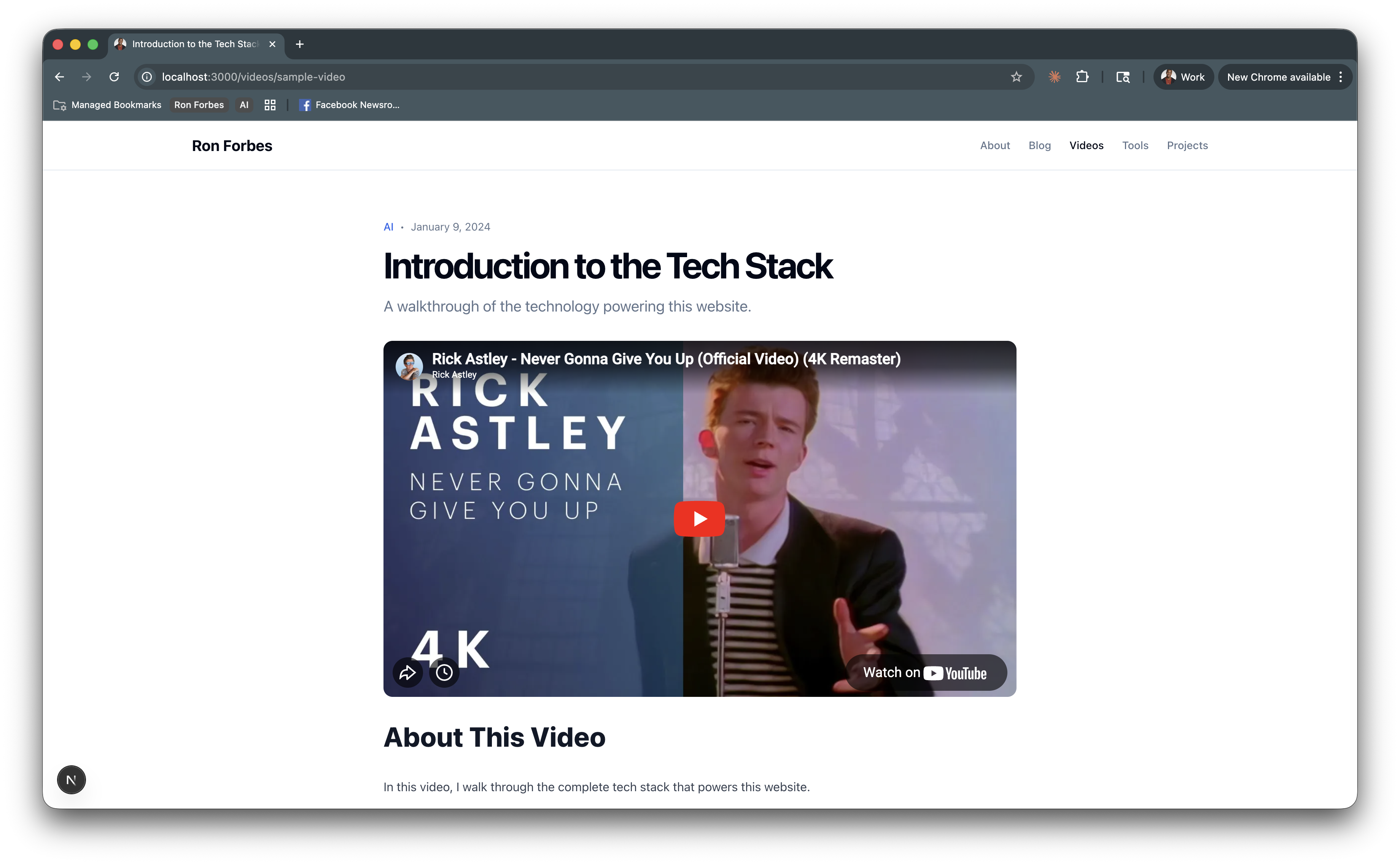
Claude Code rickrolled me 🤣
This was genuinely surprising. AI models are trained to be helpful, harmless, and honest. I didn't expect playfulness. But there it was. A creative flourish that felt almost... human.
It's moments like this that remind me we're not just using tools anymore. We're collaborating with something that can surprise us.
What the Research Says
While building this site, I went deep into understanding where the vibe coding movement is actually heading. Here's what I found:
This isn't a fad. Over 25% of Y Combinator's latest cohort reported that 95%+ of their code was AI-generated.
The tools are converging. Whether you're using Claude Code, Lovable, Cursor, Copilot, v0, Bolt, or Replit, they're all moving toward the same pattern: Plan → Code → Review. The AI generates a plan, executes it, and you provide feedback. The specific tool matters less than understanding this workflow.
Context engineering is the new skill. The best vibe coders aren't just writing better prompts—they're managing context. Using specification files, CLAUDE.md configurations, breaking work into focused sessions.
Human-in-the-loop is essential. Research consistently shows that the best results come from tight feedback loops. Letting the AI run unsupervised for hours? Expensive and error-prone. Checking in on every major step? That's where the quality lives.
The Shift Most People Aren't Seeing
Here's the key takeaway: Most people are still using AI like a chatbot.
They ask ChatGPT or Claude a question. They get an answer. Maybe they ask a follow-up. Then they close the tab and move on.
That's fine. That's useful. But that's not where the revolution is happening.
The revolution is in AI agents: systems that don't just answer questions but perform tasks. That can plan multi-step workflows, execute them, check their work, and iterate. That can work in parallel on different aspects of a project while you focus on higher-level decisions. A recent pattern called Ralph Wiggum (yes, "I'm being helpful" Ralph Wiggum) is taking off as an example of orchestrating agents to work repeatedly over long-running tasks in priority order the same way modern development teams do.
The difference between a chatbot and an agent is like the difference between asking a colleague a question and actually delegating work to them.
And the craziest part is that anyone can access these technologies right now. Not just engineers. Not just technical people. PMs, designers, marketers, writers. Anyone who can clearly articulate what they want can now build things that used to require entire teams. It's just packaged up as a thing with "Code" in its name and makes you open a Terminal to use it which scares a lot of people away 🫣
Challenges Along the Way
Let me be honest about what was hard.
Regressions are real. Every time I'd add a new feature, something else might break. The AI community calls this "whack-a-mole" and it's frustrating. The fix? Reading (not just blindly accepting) the edits, better tests, tighter feedback loops, and committing before every major AI-assisted change.
The "last mile" is rough. Getting 80% of the way there? Easy. That final 20%? Sometimes agonizing. I'd have the AI SO CLOSE to finishing something, but no amount of prompting could get it over the finish line. That's when I would occasionally step in and write code yourself.
Context windows fill up. Long conversations degrade in quality. The fix is simple but requires discipline: start fresh conversations for each major task. Don't try to do everything in one session.
The gap between influencers and reality. The LinkedIn posts showing perfect AI workflows? They're not showing the hours of debugging, the failed approaches, the times when you just have to close the laptop and walk away. But that's honestly when the real learning begins.
Tips From the Trenches
Here's what actually worked for me:
-
Commit to Git before every AI session. If things go sideways, you can always reset. This saved me multiple times.
-
Be specific in your prompts. "Make the header look better" gets you nowhere. "Make the header sticky with a blur effect and reduce padding to 16px on mobile" gets you exactly what you want.
-
Paste screenshots and console logs. When something breaks, show the AI everything. Full context = better fixes. Claude Opus 4.5 is great at parsing screenshots and console logs.
-
Don't be afraid of fixing the "last mile" of code yourself. This was a key insight from the community. When the AI is struggling, sometimes it's faster to just fix it than to keep prompting.
-
Start new chats for each feature. Keeps the context window fresh and focused.
-
Use dictation. Rambling into a voice app and then pasting the transcript was way more efficient than typing out detailed prompts. I use Superwhisper.
-
Let it think. The AI often starts with a bad solution and improves during its reasoning. Don't interrupt too early.
Why I'm Encouraging Everyone to Try This
Building this website was one of the most satisfying night/weekend projects I've worked on in years.
Not because it was easy. It wasn't. Not because the AI did everything for me. It didn't.
But because I proved to myself that the tools are finally here. That a PM with a dusty CS degree and years away from writing production code can build a modern, performant website from scratch. That the skills I've developed over my career, communicating requirements, breaking down problems, iterating on feedback, are exactly the skills that make AI-assisted development work.
Building your own personal website is a great place to start. It's a real project with real stakes (you'll actually publish it), but the scope is manageable. You'll learn the full stack of modern web development. And you'll have something to show for it.
The World Needs More Creators
We're going through a massive shift.
The barriers to creation are collapsing. The tools are democratizing. The things that used to take teams and months now take individuals and days.
But most people aren't seeing this yet. They're still thinking about AI as a chatbot. A thing you ask questions to. Not a collaborator. Not a tool for building.
I want to help change that.
If you've been curious about vibe coding, start now. Pick a project that matters to you. Something you've wanted to build for years but never had the skills for. Start small. Expect to struggle. Keep going.
And please, share your discoveries. Write about what you learn. Show your work, even when it's messy. The world needs more people who create things, and the tools have never been more accessible.
This is what I'm doing with this site. Building in public. Documenting the experiments, the setups, the lessons I learn along the way. The ones that work and the ones that don't.
You're invited to follow along.
Now go build something.
Want to stay updated on my experiments with AI productivity, vibe coding, and building in public? Subscribe to The Degenerate, my weekly newsletter where I share what's actually working (and what's not).
And if you're launching your own vibe coding project, I'd love to hear about it. Find me on Twitter, LinkedIn, or Threads.
Get the Obsidian + Claude Code starter vault. Coming soon
The setup I use to run my life — MCP servers, daily briefs, templates. Free when you subscribe to The Degenerate.
You're a Designer Now
I rebuilt ronforbes.com in an afternoon using Claude Design and Claude Desktop. The tools changed. The agency was always yours. Here's what I learned.
You Don't Have to Wait for KAIROS
A leaked Claude Code daemon called KAIROS and Karpathy's viral knowledge base blueprint just revealed the future of personal AI. Here's what's actually working today, and how to start building it this weekend.
The Week the Proactive AI Assistant Went Mainstream
Claude shipped computer use, Dispatch, Channels, and scheduled tasks in eight weeks, replicating what previously required OpenClaw and a self-hosted server. Here's what changed and how to set it up.
Your Second Brain Is Not Optional Anymore
AI didn't create the information overload problem, it made it impossible to ignore. Here's how to build a personal AI second brain using Claude Cowork or Claude Code in a single day, whether you're technical or not.