Building Your AI Second Brain: A Practical Guide for the Overwhelmed Knowledge Worker
The gap between AI inspiration and action is smaller than you think. Here's how to build a second brain that actually works, starting with a 30-minute brain dump and growing into a system that compounds over time.

TL;DR: You don't need to be an engineer or AI expert to build a second brain. Start with a 15-minute brain dump, let AI handle the tedious organizing and distilling, and stay in the loop to add your judgment. The system compounds over time. Jump to the 30-minute quickstart →
I show coworkers my AI personal assistant system and watch the same thing happen.
First, their eyes go wide. They see my AI synthesizing insights across weeks of meeting notes, surfacing connections between projects I'd forgotten about, generating a daily brief that tells me what matters most today, all from a knowledge base of 2,000+ notes I've been building over the past years.
"That's incredible," some say.
Then comes the pause. The slight deflation. The question I've heard a lot lately:
"But... where would I even start?"
That moment, the gap between inspiration and action, is what this post is all about. Because the answer is simpler than you think, and it doesn't require being an engineer or AI expert. It just requires 30 minutes and a willingness to get your thoughts out of your head.
You're Not Alone in Feeling Overwhelmed
If AI is making you feel anxious, you're in the majority. A 2025 PwC survey of nearly 50,000 workers across 48 countries found that only 53% feel optimistic about the future of their roles. Thirty-five percent feel overwhelmed at least weekly, and for Gen Z, that number climbs to 42%.
Here's what's harder to talk about: nearly half of us are hiding our AI use at work. A 2025 Fortune and WalkMe survey of over 1,000 U.S. workers found that 48.8% conceal their AI habits to avoid judgment. Even more striking, 53.4% of C-suite leaders (the people supposedly leading the AI charge) are hiding it too. There's a quiet epidemic of what researchers are calling "AI shame," and it's running across every level of the org chart.
And then there's the paradox that Wharton researchers identified as the "AI Efficiency Trap": workers report feeling simultaneously more productive and more overwhelmed. AI helps you produce faster, which means deadlines compress, project volumes expand, and complexity increases. You're running faster just to stay in the same place.
The gap is real. Only 14% of workers use AI daily, according to PwC. But those daily users? They report 92% productivity improvement, compared to just 58% among infrequent users. They also feel more secure in their jobs (58% vs. 36%) and more optimistic about their pay (52% vs. 32%). The people who've figured out how to work with AI aren't just keeping up. They're pulling away.
So the question isn't whether AI will transform knowledge work. It's whether you'll have a system for making it work for you, or whether you'll keep drowning in the flood.
What a Second Brain Actually Is (And Why AI Changes Everything)
The concept of a "second brain" comes from Tiago Forte, whose book Building a Second Brain introduced a framework called CODE: Capture, Organize, Distill, Express. It's a system for offloading information storage to a digital tool so your actual brain can focus on what it does best: making decisions, being creative, seeing the bigger picture.
The idea itself isn't new. Knowledge workers have always built external thinking systems. Lawyers maintain brief banks of past motions and arguments. Designers keep portfolios of work and critique. Golfers carry yardage books with detailed course notes. Scientists fill field notebooks. The practice of capturing and organizing what you know so you can use it later is as old as professional work itself.
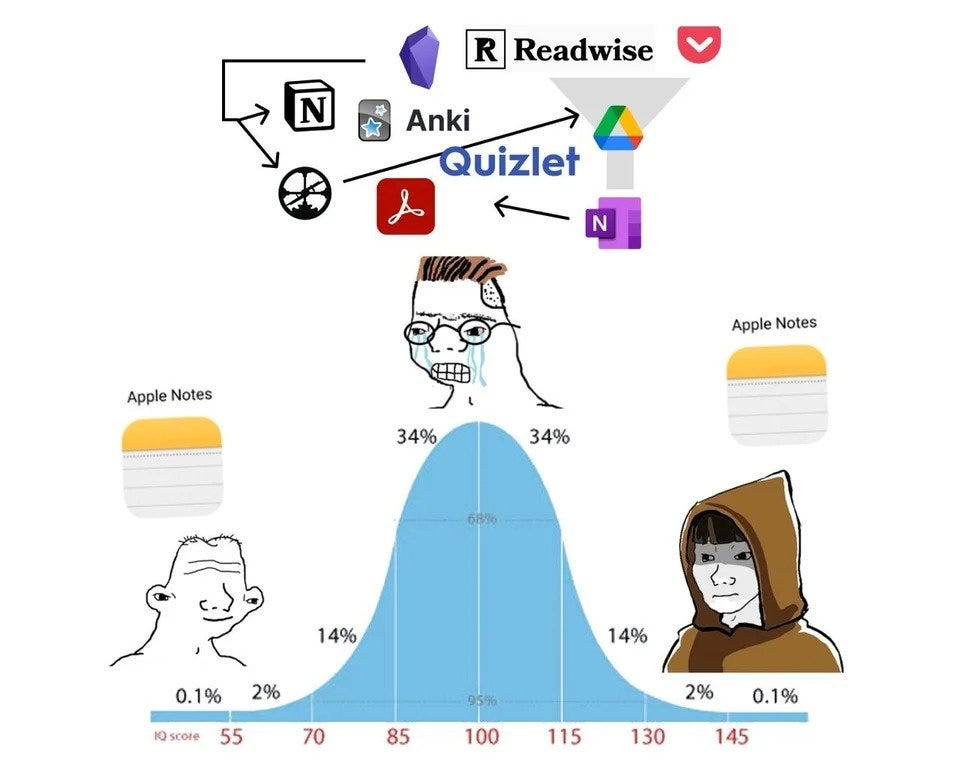
And the tools have evolved over the years. You might have tried Getting Things Done, or experimented with the Zettelkasten method, or adopted Tiago's own PARA framework for organizing projects and areas of responsibility. You've probably bounced between apps like Evernote, Apple Notes, Notion, and Obsidian, searching for the one that would finally make it all click.
What's genuinely new is that AI can now actively participate in every stage of the process.
This is a bigger deal than it might sound. In March 2025, Anthropic CEO Dario Amodei predicted that AI would soon be writing 90% of code. This claim seemed crazy at the time, but Anthropic confirmed in February 2026 that the company is using AI to generate nearly all of its code.
Here's the insight that changed how I think about this: that same transformation could happen to all text-based knowledge work, not just code. AI agents like Claude Code are writing and reasoning about code. Code is text. But so are meeting notes. So are strategy documents. So are project briefs, status updates, performance reviews, and emails. As a product manager, I deal in text throughout my entire day, and AI can understand and generate that text alongside me in the same way engineers are using AI to write code.
One of my coworkers had this exact lightbulb moment. She was feeling frazzled and overwhelmed, and as a colleague explained that the same Claude Code that engineers are using is fundamentally just writing text, reasoning about text, generating text... suddenly something clicked. She works on documents all day. Documents are text. "Oh my God," she said. "It's all just text." And then she was off to the races.
That realization is the unlock: it's all just text, and AI is really good at text.
Why Your Previous Attempts Probably Failed
Most people I talk to have tried and abandoned at least one note-taking system. Maybe several. The pattern is always the same: you start strong, capture a bunch of notes, and then... the system dies. Not because you stopped having ideas, but because the middle stages, organizing and distilling, are brutally tedious.
Tiago Forte himself identified this problem. Organizing, he's previously argued, adds the least value of the four CODE stages. It's pure overhead. Necessary, but the kind of work that sucks the life out of any productivity system. And distilling, going back through your notes to extract key insights and summarize themes, is valuable but enormously time-consuming. Ain't nobody got time for that.
(Just-in-time Update: On the other hand, AI uniquely does benefit from file organization by guiding its context. Read more from Tiago on the case for organization in the AI era here.)
AI eliminates the friction in exactly the two stages where humans stall. It can organize your notes automatically: categorizing, tagging, linking related ideas. And it can distill insights from hundreds of notes in seconds, surfacing patterns, summarizing themes, connecting dots you never would have found on your own.
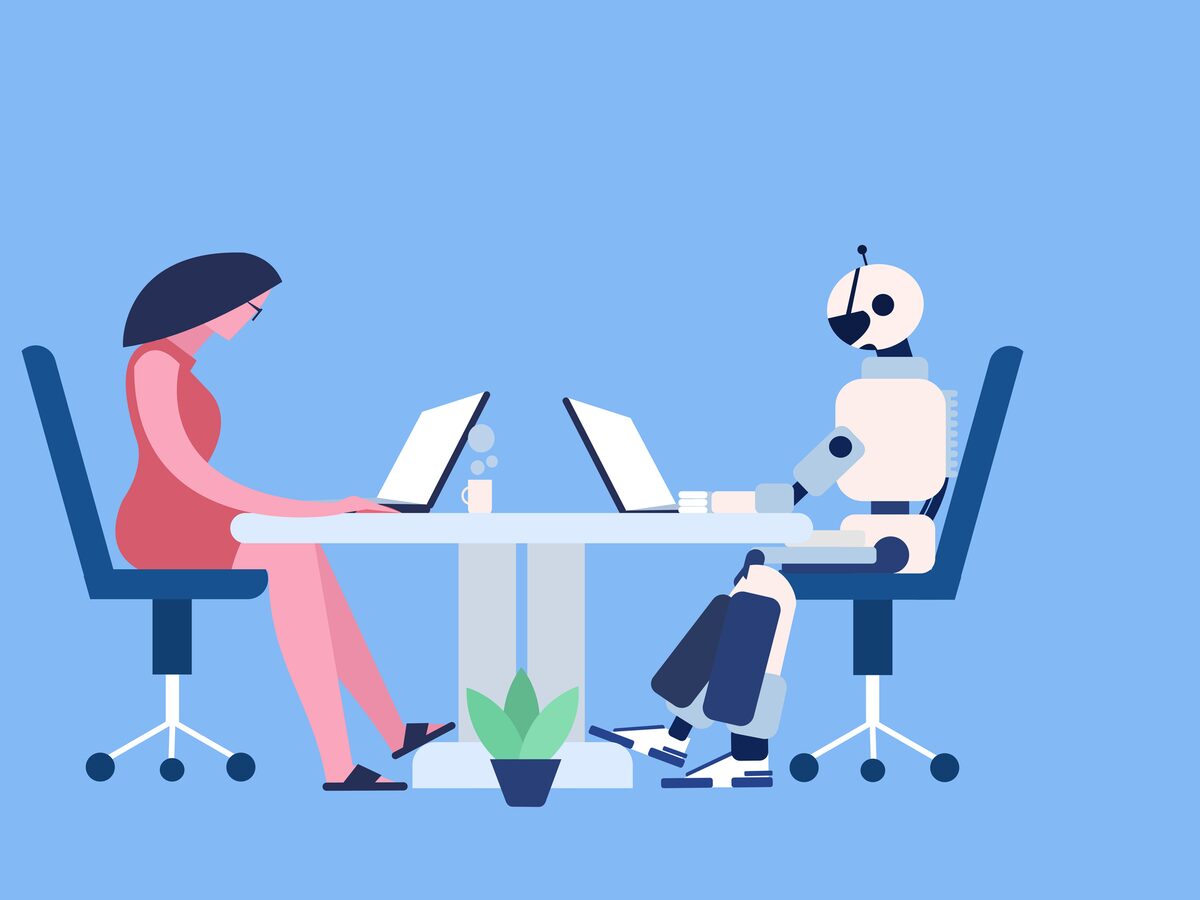
But here's what I want to be clear about: AI doesn't replace you at any stage. It partners with you across all four:
- You and AI collaborate on capturing (voice transcription, automated meeting notes).
- You and AI collaborate on organizing (AI categorizes, you guide the structure).
- You and AI collaborate on distilling (AI synthesizes, you apply judgment).
- You and AI collaborate on expressing (AI drafts, you refine and own the output).
It's your thought partner at every step.
What This Looks Like When It's Working
Let me show you a few specific pieces of what my system does today, not to overwhelm you, but to give you a picture of where this goes.
Automated meeting summaries: Every meeting I take gets automatically transcribed and summarized by AI note-taking software like Zoom, Granola, and Otter. Key decisions, action items, and discussion themes get extracted and imported into my knowledge base. I used to spend 15 minutes after every meeting writing up notes. Now it happens automatically, and honestly, the notes are often more thorough and actionable than what I wrote by hand. But the real unlock is being able to focus entirely on the conversation knowing AI is capturing it for me.
Daily briefs: Every morning, AI reviews my recent notes, calendar, and active projects to generate a brief that tells me what matters today. One for my personal life and another for my professional. It's like having a chief of staff who's read everything I've written for the past month. They're sent automatically and integrate with apps like Slack where I already am, like a personal assistant that proactively does things.
Document co-writing: When I need to write a strategy document or a project update, I'm not starting from a blank page. After talking all my thoughts about the topic out and into a prompt, AI draws on my accumulated notes (meeting context, past decisions, feedback I've captured) and generates a first draft that already reflects my actual thinking. I then spend my time refining and layering in my perspective, rather than staring at a cursor.
Career-to-project connections: This one surprised me. AI surfaces connections between my longer-term career goals and the work I'm doing on current projects, showing me how specific initiatives are (or aren't) aligned with where I want to go. That kind of meta-awareness used to require expensive coaching sessions or dedicated reflection time I never had.
I built this over time. But it all started with a single brain dump. That's where you start too.
I share the behind-the-scenes of building this system in The Degenerate newsletter.
Capture: Just Get It Out of Your Head
The first step of CODE is the only one that matters on day one: Capture. And the principle is dead simple: capture everything, organize nothing. Not yet.
Your only job is to get thoughts out of your head and into a place where AI can see them. Don't worry about formatting. Don't worry about categories. Don't worry about whether a thought is "important enough" to write down. Just write.
Steph Ango (known online as Kepano), the CEO of Obsidian, describes his personal vault as a system that "embraces chaos and laziness to create emergent structure." That's exactly the mindset. You're not building an archive. You're dumping raw material that your AI thinking partner will help you make sense of later.
How I Capture (Three Methods)
Morning journaling. Most mornings, I journal in a stream of consciousness about whatever's on my mind. What I dreamt about, work challenges, personal reflections, half-formed ideas. No structure required. These entries become raw material that AI processes later, surfacing patterns I wouldn't notice on my own across weeks or months of entries. I don't write for anyone else. I write so I can think.
AI meeting notes. AI note-taking software captures my conversations automatically. Meeting summaries with extracted action items, key decisions, and discussion themes get imported directly into my knowledge base. I review them later, but the heavy lifting of transcription and initial summarization happens without me.
Voice brain dumps. This is maybe my favorite. I use apps like Wispr Flow and Superwhisper to dictate my thoughts in a stream of consciousness while I'm working: auditing a product experience, brainstorming solutions, processing what I just learned. The audio gets transcribed and flows into my knowledge base as a note that AI can then organize and reference. I'm literally talking to myself, and my second brain is listening.
Your First Step: The Brain Dump
Here's your practical starting point, and it takes 15 minutes.
Set a timer. Open any text editor: a fresh document, a new note, whatever's in front of you right now. I like Obsidian and Visual Studio Code. Write everything that's on your mind about work. Projects you're tracking. Decisions you need to make. Things you learned this week. Questions you don't have answers to. People you need to follow up with. Ideas that have been rattling around.
Don't organize. Don't edit. Don't format. Just dump.
When the timer goes off, you've created the first note in your second brain. How did that feel? For me, I often find that just the act of getting all the disparate thoughts in my head out onto a page that I can look at relieves a lot of stress. That's genuinely all it takes to start.
Organize: Let AI Handle the Filing Cabinet
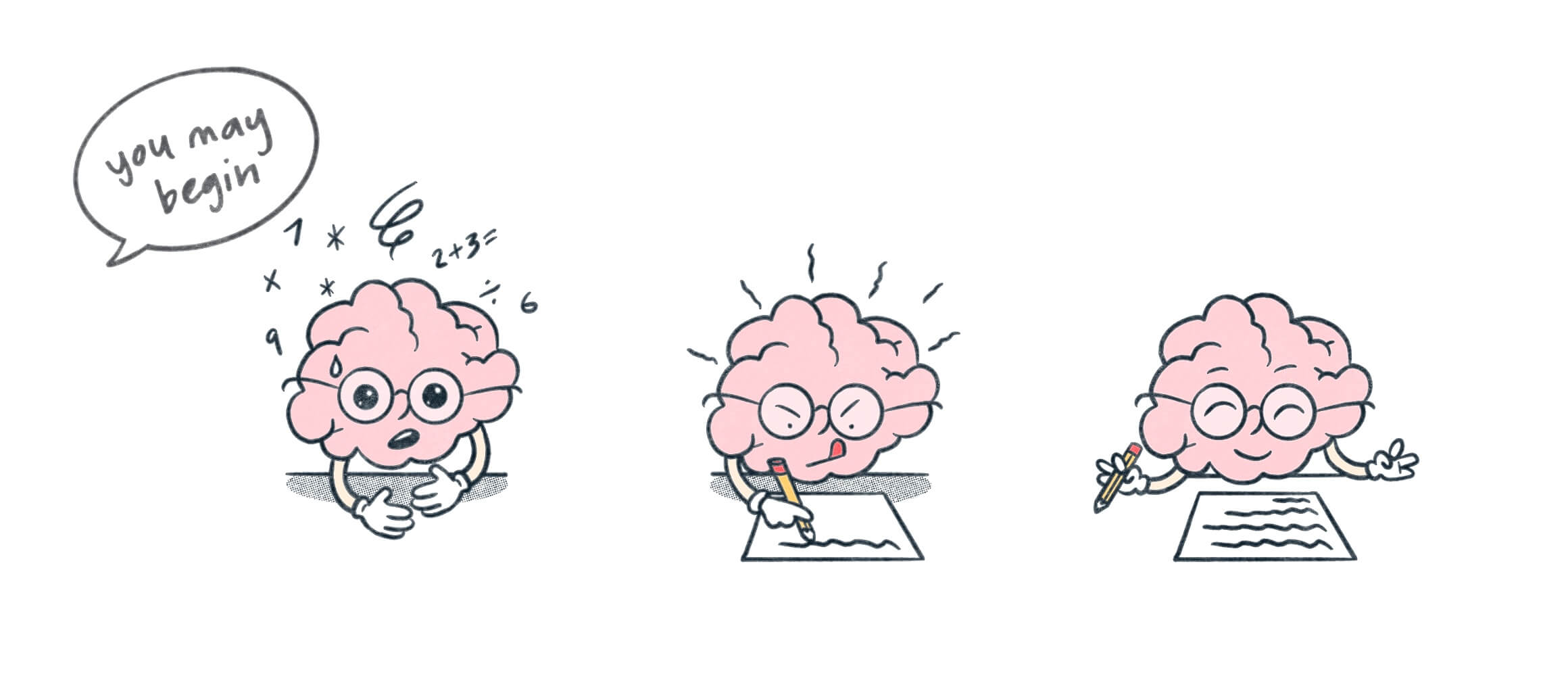
If capturing is where second brains are born, organizing is where they usually die. This is the stage where people get lost in what I call "folder anxiety": that nagging feeling that everything needs to be in exactly the right place before the system can work.
I know this because I lived it. Coming from Notion, I wanted everything in a clean hierarchy. I spent hours building elaborate folder structures, debating whether something was a "project" or an "area," trying to get the taxonomy perfect before I'd even started using the system. It was a complete waste of time. I didn't get any productivity out of those hierarchies. I got anxiety.
Links Over Folders
Steph Ango's approach to organizing in Obsidian changed my thinking entirely. "I use very few folders," he writes. "I avoid folders because many of my entries belong to more than one area of thought. My system is oriented towards speed and laziness."
His philosophy is that linking is more powerful than filing. A note about a meeting can link to a project, a person, and an idea simultaneously. In a folder, it can only live in one place. Links create a web of connections that mirrors how you actually think, not in neat hierarchies, but in messy, overlapping associations.
This connects to another of Ango's principles: "file over app." Your notes should be plain text markdown files that you own completely. They'll outlive any app (even Obsidian!). And here's the practical unlock: AI tools like Claude Code can read and reason about text files natively. When your knowledge base is a folder of markdown files, AI can process all of it, searching, connecting, synthesizing, without any special integration or plugins. The simplicity is the feature.
How AI Handles Organization
When you point an AI tool at your notes, it can auto-categorize and tag based on content, create backlinks between related notes you didn't realize were connected, build an index of themes, projects, and people across your entire vault, and convert rough brain dumps into structured, formatted notes.
You don't need to design the perfect taxonomy upfront. In fact, trying to do so is one of the most common mistakes. Simpler is dramatically better.
Where Organization Does Matter
I'll be honest: some intentional structure helps AI work better. When you point AI at a folder or set of notes, it considers everything there as context. So you do want related work grouped together, not to satisfy some organizational compulsion, but to engineer the right context window for AI.
For example, I keep all notes related to a specific project in the same folder. When AI processes that folder, it sees the full picture (meeting notes, brainstorms, feedback, decisions) and can synthesize across all of it. If those notes were scattered everywhere, AI would miss the connections.
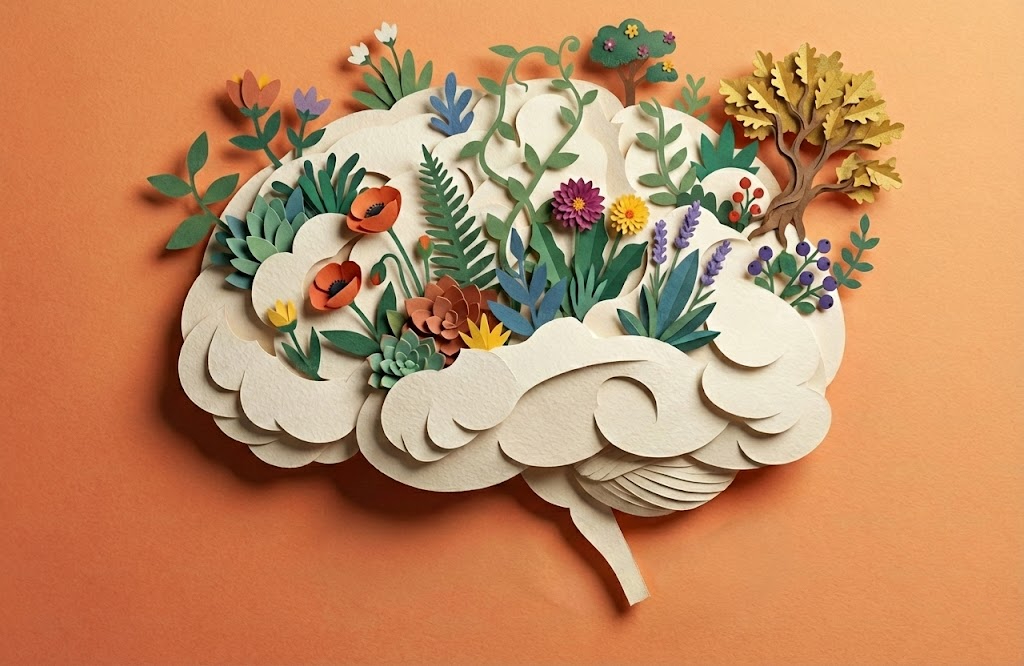
But I generally create folders for related files as the need arises, not upfront. It's almost like a garden of knowledge that you watch grow organically and build structure as you need it.
The mindset shift: organize for AI context, not for human filing satisfaction.
Practical Setup
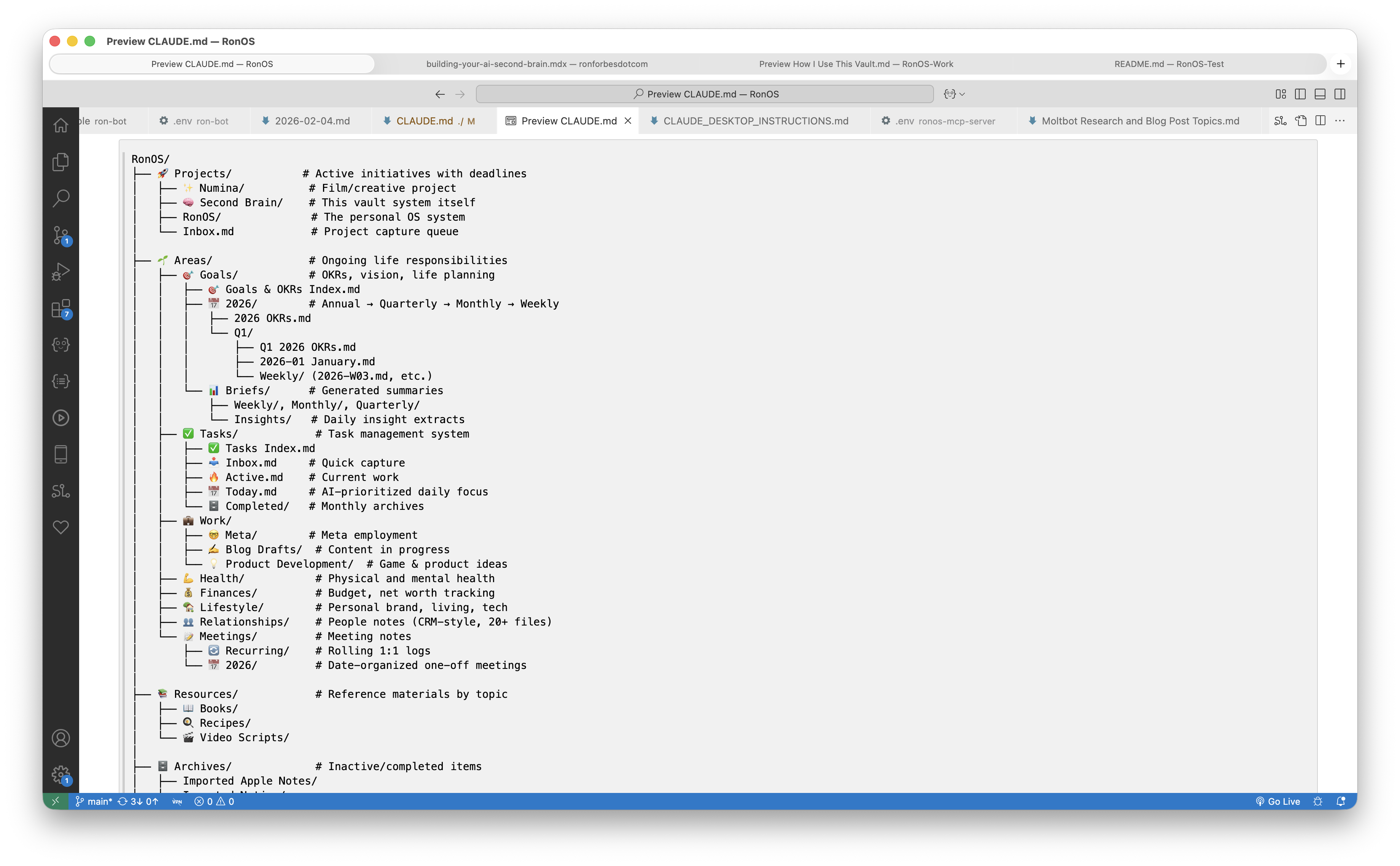
Tiago Forte's PARA framework gives you a solid starting structure: Projects (active efforts with a clear goal), Areas (ongoing responsibilities), Resources (reference material), and Archives (completed or inactive items). Start there.
Beyond PARA, a few additional folders are worth considering. An Inbox folder gives you a frictionless place to capture quick notes—anything goes in, and you can periodically have AI process and sort it. If you're in a lot of meetings, a Meeting Notes folder keeps those organized as a group. A Daily folder for daily notes—more on this shortly—rounds it out.
But the key principle from my own experience: let the folder structure emerge organically as you need it, rather than designing it upfront. Start with the basics, go about your day collecting notes, and see what structure naturally makes sense over time. You can always reorganize later. In fact, AI can help you reorganize later—which is one of the beautiful things about having an AI partner in this process.
Use [[links]] liberally, even to notes that don't exist yet. Ango calls these "breadcrumbs for future connections." When you mention a person, a project, or a concept, link it. The note doesn't have to exist. The link itself is valuable because it creates a thread your future self (or your AI) can follow.
Distill: AI Does the Heavy Lifting, You Do the Thinking
This is where the magic happens...and where the danger lives.
Distilling, in Forte's CODE framework, means extracting the most valuable insights from your captured information. It used to be the most time-consuming stage: reading back through notes, highlighting key points, summarizing themes, connecting ideas across different contexts. Most people simply never did it because who has the time?
AI transforms distilling from a chore into a conversation. After I capture my thoughts and meeting notes, AI processes and synthesizes them in ways I genuinely could not do myself at the same speed or breadth. It summarizes long meeting transcripts into key decisions and action items. It identifies patterns across journal entries, like noticing that I've mentioned a specific concern in four of my last six entries. It connects ideas from completely different contexts, showing me how feedback I gave on one project echoes something I said about a different initiative three months ago. It generates weekly and monthly syntheses of what I've been thinking about, creating a kind of executive summary of my own mind.
One of the most powerful examples: AI surfacing connections between my day-to-day project work and my longer-term career goals. It can see across months of notes and show me where my current efforts are building toward something bigger, or where there's a misalignment I should pay attention to. That kind of synthesis used to require a dedicated offsite or an executive coach. Now it happens in my daily brief.
The Most Important Paragraph in This Post
You must stay in the loop.
AI is powerful at generating synthesis. But it misses nuance. Meeting notes might capture what was said but miss the subtext: the organizational dynamics, the unspoken concern, the thing that was conspicuously not discussed. AI can summarize a conversation; only you know what it actually meant.
I review everything AI produces. Not just to catch errors (though there are some) but to add my perspective. AI gives me a first draft of my own thinking. My job is to make it actually mine.
I think about this the same way I think about managing a team. In my career, I've managed product managers, and the skills transfer directly. When you manage someone, you set clear expectations, provide context, and let them produce work. Then you provide oversight (critique, feedback, direction) to make sure the output lands where it needs to. You bring your higher-level context, your understanding of the broader landscape, and you guide the work toward the right outcome.
I manage AI the same way. I set direction and provide context. AI produces work. I carefully review and refine that output, applying my judgment, my knowledge of the situation, my sense of what matters. The AI is incredibly productive, but it takes my critical thinking to steer the results somewhere meaningful.
This isn't a nice-to-have skill. It's becoming a core competency for knowledge workers. Learning to review, refine, and direct AI output, rather than just accepting or rejecting it, is what separates people who get real value from AI from people who get slop.
The Trap: Delegating Understanding
There's a version of this where you let AI do all the thinking and you just consume summaries. That's not a second brain. That's outsourcing your cognition.
Ango captures this well. People have asked him if his personal review process, where he periodically revisits and synthesizes his own notes, could be automated with AI. His response: "I do not care to do so. I enjoy this process. Doing this maintenance helps me understand my own patterns."
The goal isn't to remove yourself from the thinking. It's to have AI handle the mechanical work (summarizing, linking, organizing, drafting) so you can focus on the work that actually requires you: interpreting, deciding, creating, connecting dots that only your unique perspective can connect.
One-shot prompting (tossing something at AI and accepting whatever comes back) leads to generic, lifeless output. The iterative process of providing feedback, refining, providing more feedback, refining again, is what produces results that feel like yours and actually are yours. That loop is where the quality lives.
Express: From Thinking to Doing
The final stage of CODE is where your second brain pays dividends: turning your distilled thinking into something useful. A document. A decision. A strategy. A communication. A plan.
This is where the compounding effect becomes obvious. When I need to write a project update or a strategy document, I'm not starting from scratch. AI draws on my accumulated context (months of meeting notes, brainstorms, feedback, decisions) and produces a first draft that already reflects my actual thinking. The difference between asking AI to "write me a project update" and asking it to "draft an update based on my meeting notes from the last three weeks, the feedback I captured, and the concerns raised in last Thursday's review" is enormous. The second version produces something genuinely useful because it's grounded in your captured knowledge.
I rigorously review everything AI writes. It's not that the output is bad. It's usually impressively good. But my job is to apply my judgment, my context, my perspective. To add the things AI can't know: the interpersonal considerations, the audience I'm writing for, the tone that fits the moment. Every document gets my commentary layered on top.
It's not that the document gets written ten times faster. But the document becomes ten times more effective than it would have been if I'd spent the same amount of time on it without this system. AI handles the synthesis and structure. I handle the insight and voice. It's a genuine collaboration, and the output is better than either of us would produce alone.
And here's the beautiful thing: when you express something, whether it's publishing a document, making a decision, or sending a communication, the output loops back into your second brain 🤯 Your expressed thoughts become future captured context. The knowledge compounds. After a few months, my second brain knows more about my projects, my thinking patterns, and my decision history than I could ever keep in my head. It's not replacing my thinking. It's amplifying it.
It's like building a bicycle for your mind.
Getting Started: Your First 30 Minutes
Everything above might sound complex. It's not. Here's what you need: a place to write text files, and an AI that can read them. That's the minimum viable second brain.
My recommendation is Obsidian (free, local files, plain markdown) paired with Claude Code or a similar AI agent. I also use VS Code a lot. It works great as both a text editor for notes and a coding environment for building automations on top of your knowledge base. But honestly, Apple Notes plus ChatGPT works. Google Docs plus Gemini works. The tool matters far less than the habit.
Your First 30 Minutes
Minutes 0–5: Download Obsidian or open your preferred text editor. Create a folder called "second-brain" or whatever feels right.
Minutes 5–20: Brain dump. Set a timer for 15 minutes. Write (or dictate with Wispr Flow / Superwhisper) everything on your mind about work—projects, decisions, questions, things you learned this week, people you need to follow up with, ideas bouncing around your head. Don't organize. Don't edit. Just write.
Minutes 20–25: Create your starter folders using Tiago Forte's PARA framework: Projects, Areas, Resources, Archives. Optionally add an Inbox (for quick-capture notes you'll sort later), Meeting Notes (if you're in a lot of meetings), and Daily (for daily notes). Move your brain dump into whichever folder makes sense, or just leave it in the root. Don't overthink it.
Minutes 25–30: If you have an AI tool available—Claude Code, ChatGPT Codex, Gemini CLI, whatever. Paste your brain dump and ask: "Summarize the key themes in these notes. What patterns do you see? What questions should I be asking myself?" Read what comes back. Notice what surprises you.
That's it. You just completed one full cycle of CODE: you captured your thoughts, organized them minimally, asked AI to distill insights, and expressed them back to yourself. Everything else is doing this repeatedly and letting the system grow.
The First Week
Capture something every day. It doesn't matter what: journal for five minutes, capture your meeting notes, do a quick brain dump at the end of the day. The point is building the habit.
Get into the practice of keeping a daily note. Think of it as a running scratch pad for the day where you can jot down anything as it comes to mind: a task you need to remember, a thought from a meeting, a question that occurred to you on a walk. "Pick up milk on the way home" counts. The relief of having one trusted place to put things, so you're not trying to hold everything in your head, is worth the effort alone.
At the end of the week, ask AI to review everything you captured and synthesize it. Read the synthesis carefully. Notice what surprised you, what resonated, what AI got wrong. Adjust your capture habits based on what's proving useful.
One More Thing: Import Your Existing Notes
If you have notes scattered across other apps, consider bringing them in. Obsidian has an importer plugin that makes this relatively painless. I imported all of my Apple Notes and all of my Notion notes, about 2,000 notes I'd taken over the years, and then asked AI to tell me what it saw.
That experience was more emotional than I expected. Reading AI's synthesis of years of my own thoughts, goals, struggles, and ideas, reflected back to me in a coherent summary, was deeply personal. It's like letting a trusted advisor into your mind and telling you what they learned about you. If you have existing notes, I'd encourage trying this. But don't get carried away with the import process. Don't let it become a project that delays you from actually using the system.
What NOT to Do
Don't spend three hours designing a folder structure. Don't spend a week researching the "perfect" note-taking app. Don't try to import your entire digital life on day one. Don't skip the human review step. That's where the real value is.
Start with the brain dump. Grow from there. Your system should emerge from your thinking, not the other way around.

Your Second Brain Is Waiting
I want to come back to those coworkers I mentioned at the beginning.
One of them, the one who saw the lightbulb click when she realized it's all just text, went from feeling overwhelmed to starting her second brain that day. She's already using AI to summarize meeting notes and help her think through review outcomes and document writing. The barrier wasn't technical ability. It was simply understanding that the tools she already had access to could work on the text she was already producing.
Another coworker was impressed by what I'd built but needed time to process it. He went off, looked into PARA and how to organize his thinking, and came back a few days later with an entire system that was already helping him synthesize meeting notes and write better documents. It was different from mine, with his own structure, his own workflows, and that's exactly how it should be. The principles are universal. The implementation is personal.
That lightbulb moment, the one where you realize AI can become your thinking partner, that it can help you bring order to the chaos, that's what I want every knowledge worker to experience. Not because it makes you more productive (though it does). Because it changes your relationship with information. Instead of drowning in it, you're surfing it. Instead of anxiety about what you're forgetting, you have confidence that your system has your back.
And this isn't just for work. I use my second brain for thinking about my career trajectory, but also for understanding my health patterns, processing personal relationships, and planning trips. Once you have a system for capturing and organizing your thinking, it applies everywhere. The same principles that help you write a better strategy document help you make better decisions about your life.
You don't need to be a developer. You don't need to be an AI expert. You don't even need to be "good at organizing"; in fact, the whole point is that AI handles the organizing for you. You just need to start capturing your thinking and let AI help you do something with it.
The system I showed my coworkers took months to build. But it started exactly where you can start today: with a single brain dump, 15 minutes of getting my thoughts out of my head and into a place where AI could help me think.
Your second brain is waiting. All it needs is your first note.
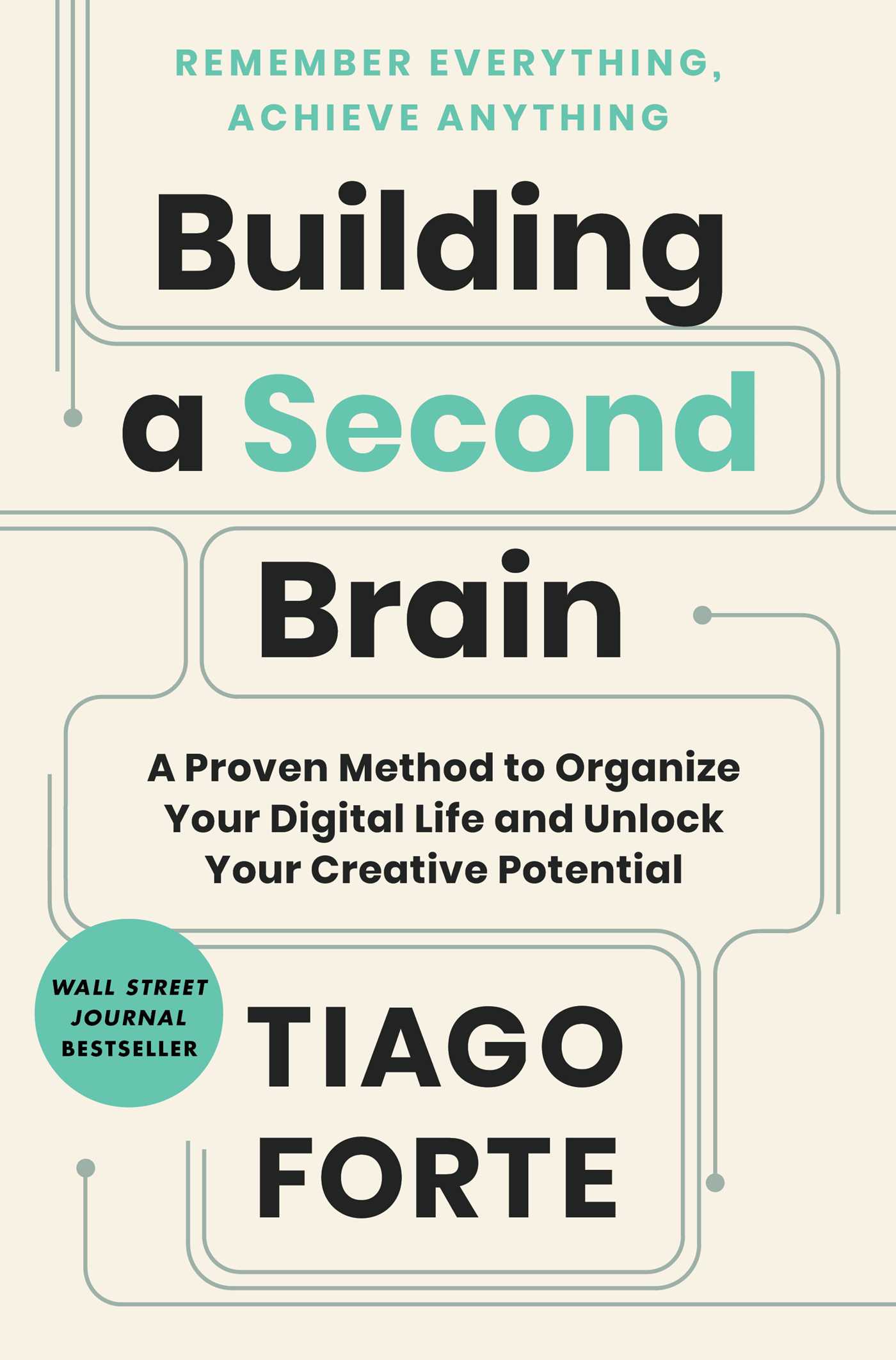
If you enjoyed this post, then you might really enjoy Tiago Forte's book, Building a Second Brain, which inspired a lot of the ideas discussed here. Go check it out! 🤓
I'm building my AI productivity system in public—documenting the experiments, the setups, and the failures along the way. If you want to follow along, join The Degenerate newsletter for weekly updates on what I'm learning.
Get the Obsidian + Claude Code starter vault. Coming soon
The setup I use to run my life — MCP servers, daily briefs, templates. Free when you subscribe to The Degenerate.
You're a Designer Now
I rebuilt ronforbes.com in an afternoon using Claude Design and Claude Desktop. The tools changed. The agency was always yours. Here's what I learned.
You Don't Have to Wait for KAIROS
A leaked Claude Code daemon called KAIROS and Karpathy's viral knowledge base blueprint just revealed the future of personal AI. Here's what's actually working today, and how to start building it this weekend.
The Week the Proactive AI Assistant Went Mainstream
Claude shipped computer use, Dispatch, Channels, and scheduled tasks in eight weeks, replicating what previously required OpenClaw and a self-hosted server. Here's what changed and how to set it up.
Your Second Brain Is Not Optional Anymore
AI didn't create the information overload problem, it made it impossible to ignore. Here's how to build a personal AI second brain using Claude Cowork or Claude Code in a single day, whether you're technical or not.