This Is Your Second Brain on OpenClaw
I connected my Obsidian vault to OpenClaw — a 24/7 AI agent — and it changed how I work, think, and live. Here's the full setup guide with a ready-to-paste prompt.


TL;DR: Your second brain is powerful, but passive. Connect it to OpenClaw and it becomes an always-on teammate that coaches you, builds for you, and keeps you accountable — all from Telegram. Here's how I set mine up, with a ready-to-paste prompt to get you started.
What You'll Walk Away With
By the end of this post, you'll have:
- A clear understanding of why connecting your second brain to an AI agent is the next frontier
- Three practical examples of what an always-on AI assistant actually does day-to-day
- A step-by-step guide to deploying OpenClaw on a VPS or Mac mini
- A ready-to-paste prompt for setting up daily briefs and heartbeat check-ins
Every morning, I start my day the same way: I get outside for sunlight and go for a walk. There's something important about that time: silence, space to listen to myself, time to think without distraction.
But as I'm finishing up that walk, something shifts. I pull out my phone and open Telegram. Not to check messages. To talk to RonBot, my OpenClaw personal AI assistant connected to my second brain. (If you're new to OpenClaw, I covered the fundamentals in Give Your Personal AI Assistant Hands Like OpenClaw.)
I voice message it. Brain dump my entire day. The projects I want to make progress on tonight. Groceries to pick up. People to call. And RonBot processes all of it, transcribing the audio, reading my notes, understanding my context because it has access to my entire knowledge base.
It's my personal coach. My executive assistant. My always-on teammate.
This morning, I noticed my health data server went down last night. During my walk, I asked RonBot about it. RonBot restarted the server. Then it implemented auto-restart logic and had it production-ready by the time I got back home from my walk. All of that happened while I was walking around New York, living my day.
We've been imagining this for decades: Jarvis from Iron Man. The genie from Aladdin. Navi from Ocarina of Time. The always-on assistant that knows you, works with you, and never stops.
We thought it was science fiction. Turns out, we're just early. And it's here now.
Why This Moment Matters
Knowledge workers spend nearly 20% of their workweek just searching for information they already have. They're juggling 88% of their week across multiple communication channels — Slack, email, texts, docs, meetings. Global data has exploded to 181 zettabytes. And 83% of workers say they feel overwhelmed by the sheer volume of information they need to do their jobs.
The second brain movement — Tiago Forte's Building a Second Brain, the rise of Obsidian, Notion, personal knowledge management — solved part of this. It gave us a place to capture and organize. A system to offload our thinking. I built mine in Obsidian with over two thousand notes, and it genuinely changed how I think, work, and live. If you're curious what that looks like, I wrote about the full setup in Building Your AI Second Brain.
But your second brain is passive. It sits there and waits for you to take action. You have to open your laptop, capture information in it, and pull insights back out. It doesn't come to you. It doesn't work while you sleep. It doesn't anticipate what you need.
That's the frontier we just crossed.
2026 is the year AI agents went from concept to reality. Gartner predicts 40% of enterprise applications will embed task-specific AI agents by year-end. But no project captures this shift better than OpenClaw.
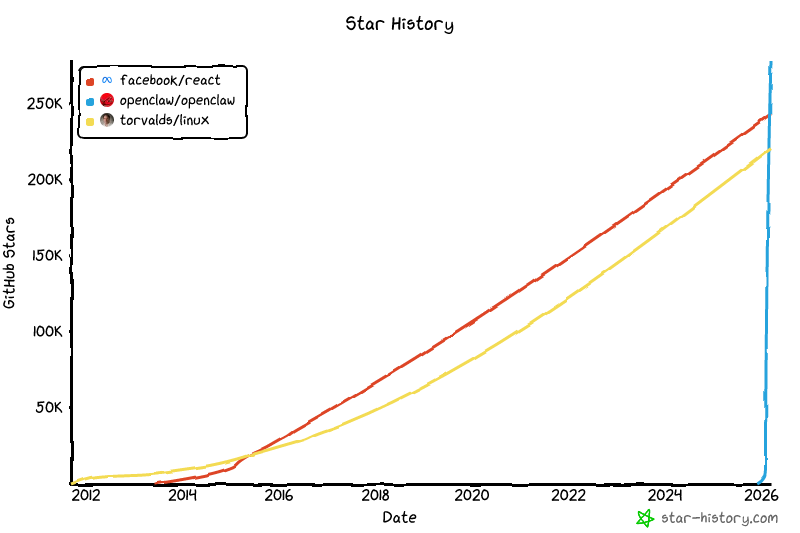
Look at that growth curve. OpenClaw has more GitHub stars than React and Linux. Let that sink in — more stars than the most popular UI framework and the most popular operating system on earth, and it got there in weeks, not decades. It's now one of the fastest-growing open-source projects in GitHub history. Its creator, Peter Steinberger, was recently acquired by OpenAI, and OpenClaw has transitioned to an open-source foundation. But the momentum hasn't slowed. It's accelerating.
This isn't just AI hype. It's product market fit. People are hungry for this because the promise is real: a 24/7 AI agent that runs on your own hardware, connects to your everyday tools, and acts proactively on your behalf.
Full disclosure: in my last OpenClaw post, I was cautious. I flagged the security risks, the rough edges, the "frontier" nature of it all. I still stand by that. But after weeks of daily use, I've gone from "proceed with caution" to "you need to try this." The product has matured, and so has my understanding of it.
But most people haven't yet hit their stride. They're setting up OpenClaw as a generic assistant, a cool toy that can send messages and manage calendars. That's fine. But the real unlock is connecting it to your second brain. Give it your context, your projects, your thoughts. That's what turns it from a tool into a teammate.
What This Actually Looks Like
Availability, proactivity, and capability. Those are the three pillars that make OpenClaw different. Let me show you what that means in practice.
If you're already running OpenClaw and want to go deeper, I share advanced prompts and automation recipes in my newsletter, The Degenerate.
Availability: Real-Time Health Coaching
I take my diet, exercise, and sleep seriously. Protein targets, workout consistency, recovery — it all matters. But tracking it used to mean stopping what I'm doing, opening an app, logging manually. Now I pull out Telegram.
I'm at the gym and I want to know if my planned workout aligns with my recovery. I ask RonBot. It has my full context: my sleep data from last night, my exercise history from the past month, my weightlifting goals. It suggests adjustments based on actual science and my actual situation, not generic fitness advice.
I'm deciding what to eat for lunch. I take a photo, send it to RonBot via Telegram. It estimates the macros, cross-references my daily protein target, and logs it automatically. No manual entry. Just availability. My coach is with me, every decision, all day long.
Proactivity: Daily Priority Setting & Accountability
Every morning, before my walk, RonBot's cron job runs (a scheduled recurring task). It generates my daily brief from my second brain — pulling from my notes, my active projects, my stated goals. By the time I head out the door, I have a synthesized view of what actually matters today.
I read that brief on my walk. I voice message back my priorities, my adjustments, my thinking. But here's where proactivity kicks in: throughout the day, RonBot's heartbeat system doesn't wait for me to check in. It actively checks in on me. Where are we on the priorities I mentioned that morning? Are we executing on what matters? Are there blockers? This keeps me accountable and focused all day long, not because I'm disciplined, but because my assistant is actively helping me focus on what matters.
Capability: Autonomous Building While You Live
The health server story from this morning is one example, but the more impressive one is how the integration got built in the first place.
I described what I wanted — Apple Health data flowing into a private server, transforming into a daily health report, accessible through my second brain. I didn't sit at my laptop managing the build. RonBot went and built it. Wrote the code, set up the server, then walked me through creating an iPhone shortcut to export data, and tested everything while I was running on the West Side Highway.
This was built on vibes while out on a run. You describe the outcome. The AI builds it. Capability means it's not just thinking with you. It's building for you, autonomously, while you sleep or work or live.
Tony Stark was a vibe coder 🤯

Alright. Enough inspiration. Let's build this thing.
The Setup Choice: VPS vs Local
So you're ready to set up your OpenClaw. Here's the choice you need to make upfront: do you set it up on a virtual private server (VPS) or a local machine?
The VPS Route: Start Today, Upgrade Later
This is what I did. Cheap ($5-12/month), always on, accessible from anywhere, no hardware investment. You can start today.
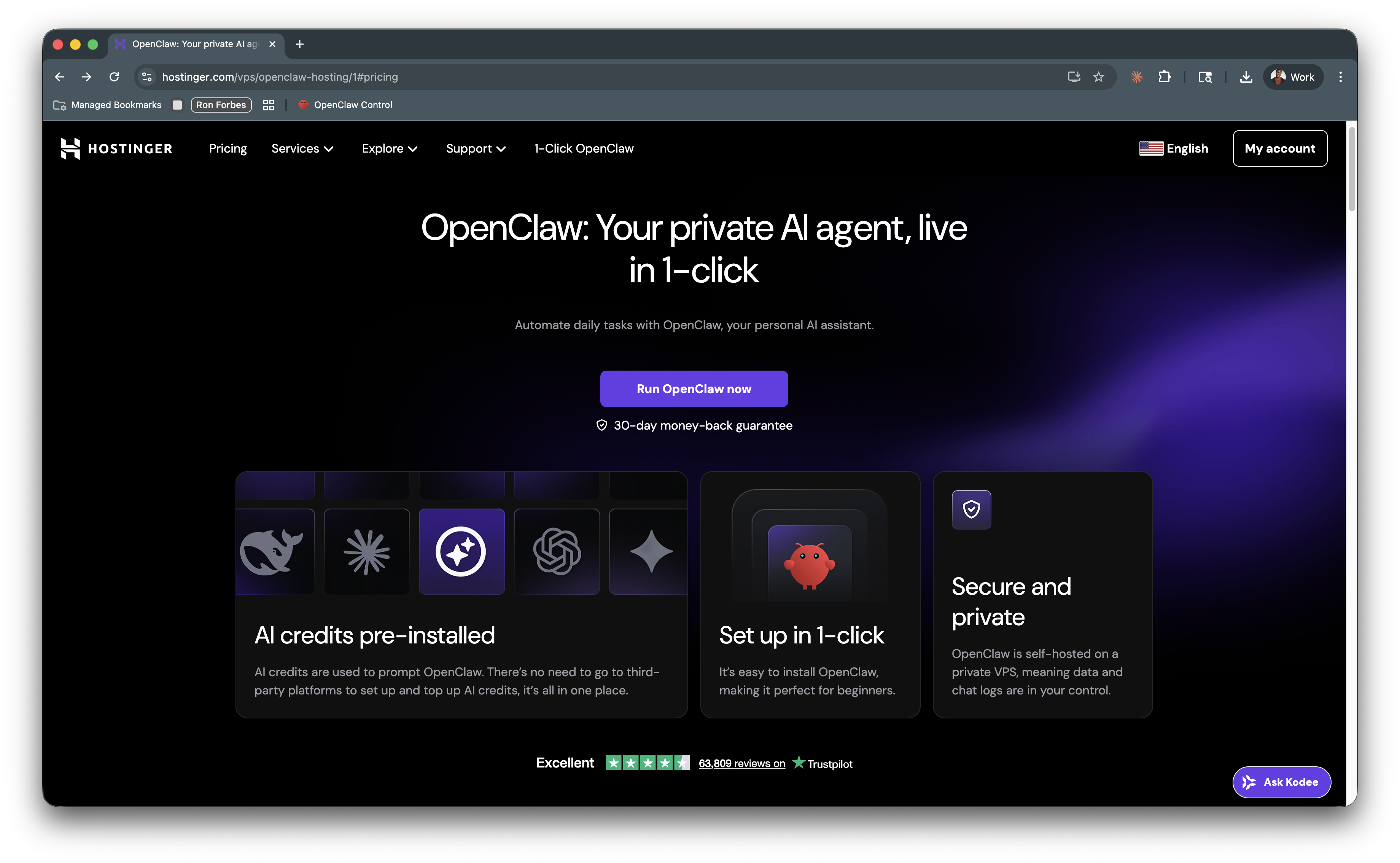
I use Hostinger (not sponsored — I just chose it for the simplicity of their one-click setup), which has built an incredible one-click OpenClaw setup through their Docker integration. Go for the KVM 2 configuration. It handles all the prerequisites, installs OpenClaw, gives you a gateway UI, and walks you through connecting your models and setting up Telegram as your first channel. Friction basically eliminated.
You can have RonBot running and connected to Telegram within an hour.
The Mac Mini Route: Full Power, Future-Proof
If you want everything local, more horsepower for running local models, and full control, a Mac mini is the gold standard. Honestly, I would've taken this approach, but I'm waiting for the next hardware refresh to go this route myself. Local-first privacy, iMessage integration, better browser automation, residential IP for sites that block data center IPs.
The tradeoff: hardware cost (~$600), limited availability (Apple Stores are selling out!), another device to manage, but electricity is negligible on M-series chips.
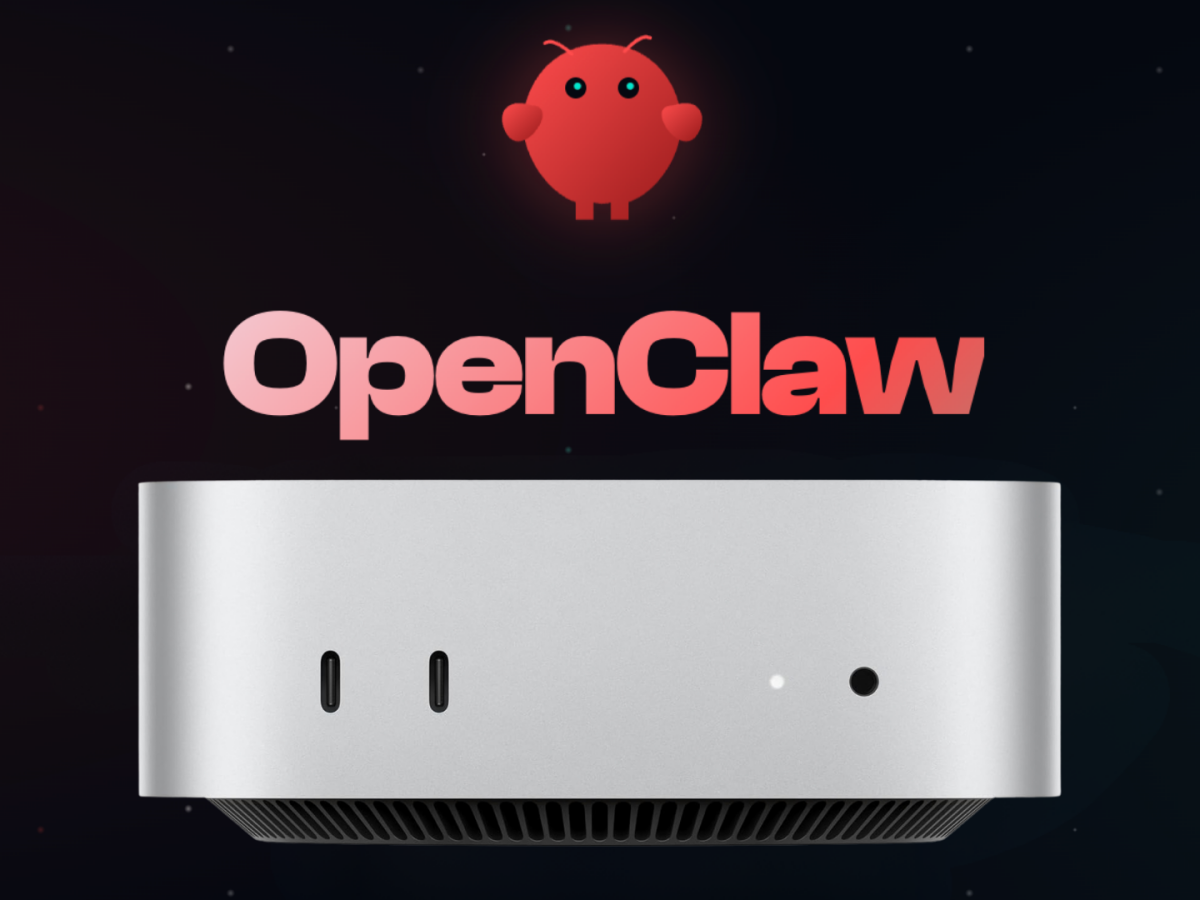
My recommendation: Either go buy a Mac mini today, or start on VPS now and upgrade to Mac mini later for full power.
What you'll need to get started:
- A Hostinger account (or any VPS provider)
- A Telegram account
- An Anthropic API key (for Claude) or OpenAI API key
- Your second brain — an Obsidian vault, a folder of markdown notes, or any knowledge base you want your AI to access
- 1-2 hours for initial setup
Step-by-Step: From Zero to RonBot
1. Spin Up Your OpenClaw Instance
Go to Hostinger, click their OpenClaw project, and let it deploy. Grab a coffee. This takes about 10 minutes.
2. Configure Your Models
During the one-click setup, OpenClaw walks you through this. You'll connect Claude (or your model of choice), set your API keys, and configure how it should behave. This is where you define who your "RonBot" actually is.
Pro tip: If you have a good conversational vibe going with ChatGPT or Claude, ask it to write a markdown set of instructions on its personality. Then paste it in when your new OpenClaw wakes up and asks about itself.
3. Access Your Gateway
Once setup is complete, you'll land in the gateway — your OpenClaw control panel with a built-in chat interface. This is where you talk to your new assistant for the first time.
4. Connect Telegram
Use the gateway chat to ask your OpenClaw how to connect Telegram. It will walk you through messaging the BotFather to create a Telegram bot, grabbing your API token, and wiring it up. Send your first test message. Once your bot responds on Telegram for the first time, you can start using this as your primary communication channel. Test that voice and picture messages work.
5. Connect Your Second Brain
This is the custom part. Ask your OpenClaw to clone your second brain, index your notes, and test that it can search and reference them. Make sure it has real context about your life, your projects, and whatever raw material you want it to synthesize insights from. If you haven't built your second brain yet, start with Building Your AI Second Brain, then come back here.
6. Set Up Your First Automations
Start small. Paste this prompt into your gateway chat to set up a daily brief and heartbeat system:
I want you to set up two automations for me:

1. DAILY BRIEF (cron job, every morning at 7:00 AM):
   - Search my entire knowledge base for active projects, goals, and priorities
   - Look at any notes I updated in the last 24 hours
   - Identify the 3-5 things that matter most today based on my stated goals and recent activity
   - Check for any deadlines, commitments, or follow-ups I might forget
   - Send me a Telegram message with a synthesized daily brief: what to focus on, what's due, and anything I should be aware of

2. HEARTBEAT CHECK-IN (recurring, every 4 hours during the day — 11 AM, 3 PM, 7 PM):
   - Reference the priorities from my morning brief
   - Send me a short Telegram message checking in: "How's progress on [priority]? Any blockers?"
   - If I respond with updates, log them in my knowledge base as a daily note
   - If I don't respond, don't nag — just check in again at the next interval

Keep the tone conversational and supportive, like a good teammate, not a micromanager.
Get comfortable with them for a few days. Then start tweaking the schedule and tone to fit your rhythm.
7. Going Further
Once you're comfortable, start building. See The AI Personal Assistant Era Just Arrived for some ideas and mindset on deciding what to build, and Build Your Personal AI Assistant with Claude Code for a deep dive on building with AI. Integrations with your favorite apps and services. Recurring tasks throughout your day and night. The sky is the limit.
The Terminal Reality
You're going to hit moments where you need to troubleshoot: SSH into your VPS. Check logs. Configure something that doesn't have a UI. That's normal. That's part of living on the frontier.
When you get stuck, just ask OpenClaw (or Claude if OpenClaw is unavailable). Open Claude Code, describe what you're trying to do, ask it to ELI5 (explain like I'm five) or put it PM terms. It will walk you through it. The OpenClaw community is also massive and helpful.
A Word on Security
This is frontier stuff. Cutting edge. And security is your responsibility.
Whether you're using a VPS or a Mac mini, think carefully about what information you're sharing. Avoid pasting API tokens or passwords directly into chat. If your OpenClaw instance ever gets compromised, you don't want a malicious actor finding your credentials in the chat logs. Instead, ask OpenClaw itself:
"What are the secure ways to pass information to you? What are the best practices?"
It knows the answer and will guide you on how to do this safely.
Use the same approach with Claude Code. Ask it how to handle secrets securely, how to protect your data, what practices to follow. Both OpenClaw and Claude Code are smart enough to advise you on security best practices.
Be thoughtful. Be careful. But don't let perfect security prevent you from starting. Start on a VPS today, learn as you go, and upgrade your security posture as you learn more.
The Frontier Is Now
The question isn't whether this is coming. It's whether you want to learn it now, or wait until it's commoditized.
Right now, you can shape how proactive AI integrates into your life. You can build a system that actually knows you, that works for you, that amplifies your thinking instead of just answering questions. In a year, everyone will have this. In five years, it'll be standard.
But the people who understand it now, who've experimented, built, learned what works and what doesn't, those people will move differently.
I'm building this in public. Documenting what works, what doesn't, what surprises me. And I'm learning what's possible when you connect your second brain to a proactive, always-on AI agent.
You can too.
Here's your weekend project. Go to Hostinger, deploy OpenClaw with their one-click setup, connect Telegram, and hook up your Obsidian vault. Paste the daily brief prompt from this post. By Monday morning, you'll have a personal AI assistant that knows your priorities and checks in on you throughout the day.
Then tell me what happened. What worked? What broke? What surprised you? I read every reply. We're all figuring this out together, and the frontier is better when we're building in public.
I'm building my AI productivity system in public. Join my newsletter, The Degenerate, to get the experiments, setups, and lessons I don't post publicly.
Get the Obsidian + Claude Code starter vault. Coming soon
The setup I use to run my life — MCP servers, daily briefs, templates. Free when you subscribe to The Degenerate.
You're a Designer Now
I rebuilt ronforbes.com in an afternoon using Claude Design and Claude Desktop. The tools changed. The agency was always yours. Here's what I learned.
You Don't Have to Wait for KAIROS
A leaked Claude Code daemon called KAIROS and Karpathy's viral knowledge base blueprint just revealed the future of personal AI. Here's what's actually working today, and how to start building it this weekend.
The Week the Proactive AI Assistant Went Mainstream
Claude shipped computer use, Dispatch, Channels, and scheduled tasks in eight weeks, replicating what previously required OpenClaw and a self-hosted server. Here's what changed and how to set it up.
Your Second Brain Is Not Optional Anymore
AI didn't create the information overload problem, it made it impossible to ignore. Here's how to build a personal AI second brain using Claude Cowork or Claude Code in a single day, whether you're technical or not.